Documents drift from actual operations
Flowcharts are not updated for organizational or system changes, and teams spend evaluation and audit time explaining the differences.


AI-ASSISTED PROCESS DOCUMENTATION FOR U.S. SOX & ICFR
Use process names, notes, meeting minutes, and existing policies or manuals to generate BPMN flow drafts with approvals, branches, exceptions, and cross-functional handoffs. Review and refine the draft with process owners, then use the same flow for risk-and-control mapping, operational improvement, and export.
Start without a credit card
WHY DOCUMENTATION STALLS
Internal-control reporting, IPO readiness, and audit support all require procedures, decision criteria, exceptions, and segregation of duties to be presented in a form a third party can review.
Flowcharts are not updated for organizational or system changes, and teams spend evaluation and audit time explaining the differences.
Approval criteria, rework, and changes of ownership are not documented, leaving little material to explain how controls are designed.
The effort from interviews to diagramming concentrates on specific staff, so expanding coverage and periodic updates are postponed.
HOW ADOPTION WORKS
Finished procedure manuals are not required. Start from what you know, and refine the draft with process owners, corporate functions, and IT.
Enter process names and notes or attach meeting minutes and existing rules or manuals when generating a flow.
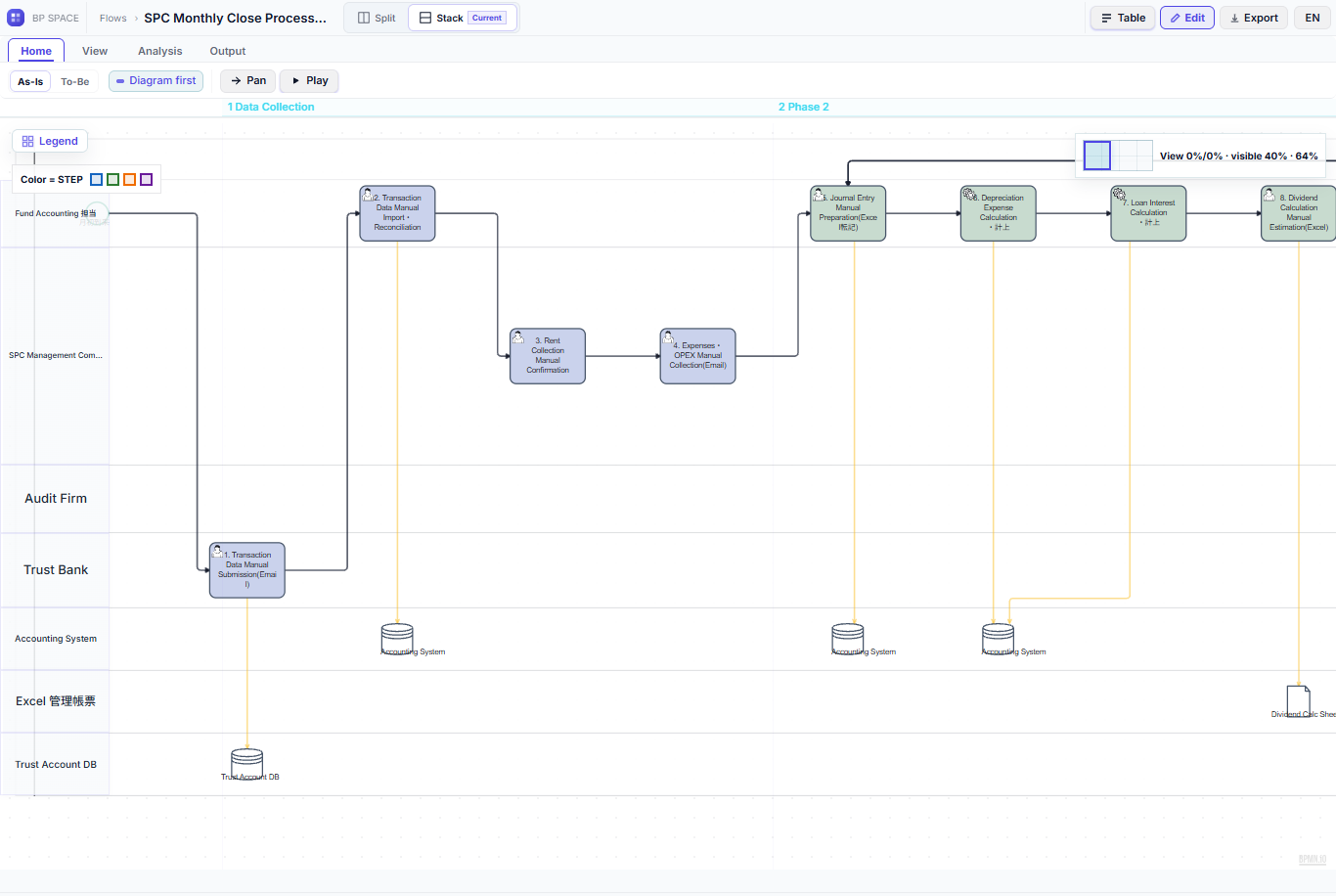
Generate a flow draft with owners, procedures, decisions, exceptions, and systems, with connectors placed automatically.
Compare the draft with actual operations and ask AI to revise owners, branches, exceptions, and control points before using it for evaluation, improvement, or system planning.
FEATURES
Generate BPMN 2.0 drafts from a process name alone, pasted notes and meeting minutes, or Word, Excel, and text files attached for a single generation, including branches, parallel work, rework, and multiple lanes for departments and roles. Existing BPMN XML and Visio diagrams can also be imported.
Element placement and connector routes are arranged automatically. After generation, describe the change to AI and review its proposal before applying it to the flow.
Generate and edit an RCM mapped to each stage of the flow, plus an operations list covering operators, operations, systems, and related documents. In J-SOX documentation mode the RCM extends to assessment fields such as procedures and evidence locations.
Generate and edit an RCM mapped to each step, with owners, activities, systems, and related evidence. Use the mapping as review material for process owners, internal control, and audit stakeholders; it does not replace their control-design or assessment judgment.
Extract candidate problems from the current flow with ECRS-style checks, and let staff adopt or reject each problem and improvement idea. The To-Be flow is generated only within the adopted scope, with an As-Is/To-Be diff view for confirmation.
Export the flowchart, process description, and RCM as the standard three-document Excel set. Assessment workpapers are designed so that recording, review, and locking are performed by people; AI cannot finalize assessment judgments.
Export the flowchart, process narrative, and RCM as a linked Excel documentation set. Assessment workpapers support staff-led recording, review, and lock steps; AI does not make or finalize compliance or audit decisions.
SECURITY AND DATA PROTECTION
NinjaFlow is provided as a cloud service. The application runs on Railway with Supabase authentication and persistent data services. We manage platform-provider controls separately from the authorization, configuration, and operations we operate. The following data-protection posture applies to the standard service today.
Handle personal data, trade secrets, customer-specific information, and unpublished financial information under your internal rules and contractual conditions. Where appropriate, anonymize, summarize, or mask names, amounts, and identifiers before input. When AI features are used, the processing terms of the selected AI provider also apply.
Access is controlled per authenticated workspace. Operations on flows, members, and sharing settings are validated server-side against tenant boundaries and roles.
Secret values such as service-role and AI API keys are not sent to the browser and are limited to server or worker execution environments. Input content and keys are handled by design outside operational logs and job records.
Flows retain revision history, and deleted flows are handled as recoverable records. Authentication and persistent data are managed on Supabase and kept separate from the application runtime.
The availability, physical protection, and platform controls operated by Supabase and Railway are distinct from the access control, application configuration, and operational monitoring that we operate. Use the standard service with that responsibility boundary in mind.
Customer-only data retention, dedicated environments, customer-managed AI, and specific audit material or authentication methods are not part of the standard service. Where needed, they require requirements definition, individual implementation support, and a separate quote.
WHAT THE FLOW SUPPORTS
Maintain flowcharts, RCMs, and operations lists in a linked form, as base material for explaining control design and for evaluation work.
Organize processes and controls early, feeding into rules and management-structure readiness.
Visualize rework, waiting, and handoffs to make improvement themes and standardization targets specific.
Business and IT reference one flow when aligning requirements and project scope.
EXAMPLE PROCESSES
PRICING
Try mapping one business process
¥0/mo
Create and export your own process flows
¥3,080/mo
Individually maintain many process flows
¥10,780/mo
Share and manage process flows as a team
¥10,780/mo5 seats included
Standardize and manage flows across departments
¥32,780/mo20 seats included
Deploy as a large-scale business platform
¥150,000+/mo
Displayed monthly and annual amounts include Japanese consumption tax. Annual billing discounts the monthly base fee by 20%. Team and Business additional seats are billed at 12 months even with annual billing; paid-plan overages are billed separately. Review the total at checkout. Dedicated environments or customer-managed AI require separate requirements review and quotation. Published plan prices are denominated in Japanese yen (JPY) and include Japanese consumption tax.
FAQ
Yes. Start from process names, notes, and meeting minutes entered or attached for a generation. Treat generated results as drafts and confirm them with the departments that run the process.
AI-generated flowcharts, RCMs, operations lists, and workload estimates are drafts. Accuracy and control suitability are confirmed and corrected by your staff, and flow revisions can be requested through AI.
It supports preparing and updating flowcharts, RCMs, and operations lists. Control design, operating effectiveness, management conclusions, and audit treatment remain the responsibility of your company and auditors.
Confirm your information-management rules, contractual restrictions, and intended environment before input. When appropriate, anonymize or summarize company names, personal names, amounts, and contract terms.
Customer-only data retention, customer-managed AI, and dedicated or individual environments require requirements definition, individual implementation support, and a separate quote after reviewing connection, operating responsibility, and audit requirements.
Yes. Start without a credit card.
Review the draft with process owners, corporate functions, and IT, and shape it into material for control documentation, improvement, and system planning.
Start free →